


 About Urh Social
 Terms of Service
 Politique de confidentialité
 Contact
Why Is a Ryzen Gaming PC RTX 5080 PC Suitable for Demanding Games
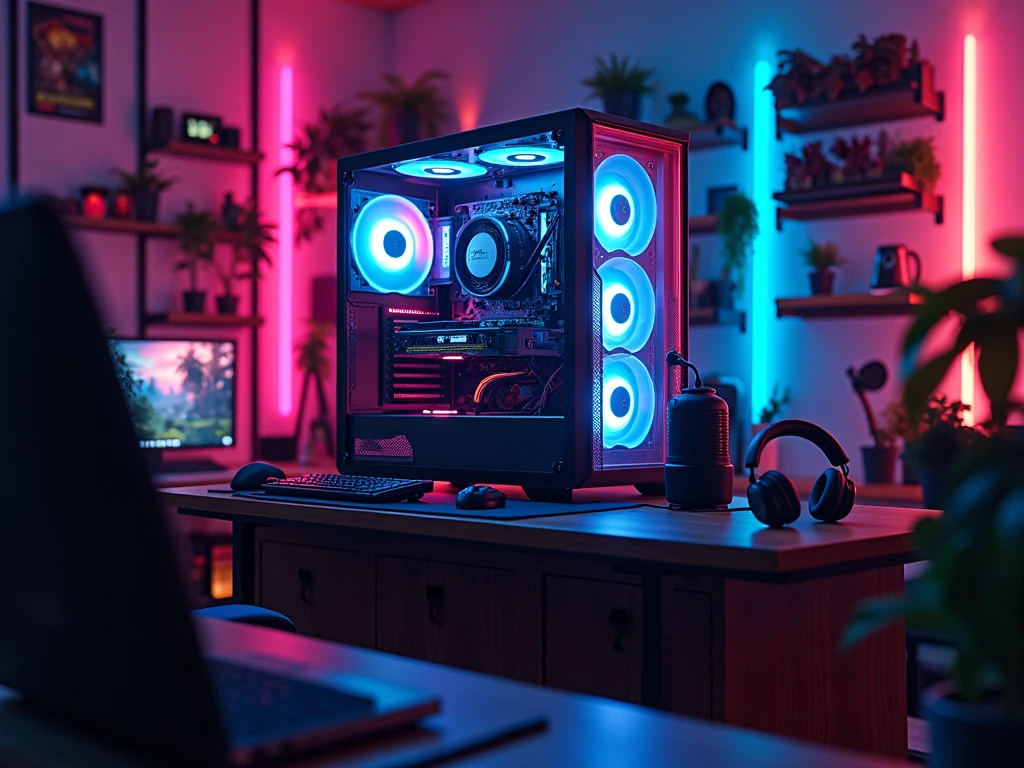
A high-end gaming computer should feel like a complete system, not simply a collection of expensive components. When you combine a Ryzen processor with NVIDIA’s RTX 5080, the rest of the hardware needs to be selected with the same level of attention. The graphics card brings substantial rendering capability, while the Ryzen platform gives you several CPU options depending on whether your priority is gaming, streaming, content creation, or a mixture of workloads.
A Ryzen Gaming PC RTX 5080 PC can therefore be designed around high-resolution gaming, demanding visual settings, and other intensive tasks, but the final experience depends on how well the components work together. From memory and storage to cooling, motherboard selection, and power delivery, every part has a practical purpose. A carefully planned configuration can also make future upgrades easier instead of forcing you to replace the entire computer.
What Makes This PC Combination Interesting?
The Ryzen and RTX 5080 combination brings two different strengths into the same system.
The Ryzen processor handles game logic, background processes, applications, and CPU-dependent workloads, while the RTX 5080 takes responsibility for much of the demanding graphical processing. NVIDIA lists the RTX 5080 with 16GB of GDDR7 memory, 10,752 CUDA cores, fourth-generation ray-tracing cores, and fifth-generation Tensor Cores.
That specification makes component selection around the GPU particularly important. There is little value in putting a powerful graphics card into a system with inadequate cooling, unsuitable memory, or a weak power-delivery setup.
Choosing the Right Ryzen Processor
There is no single Ryzen processor that every RTX 5080 build must use.
Your choice should reflect what you actually do with the computer. A gaming-focused machine can be configured differently from a workstation that also handles video editing, 3D applications, streaming, or other demanding workloads.
CPU selection should also take your monitor into consideration. Someone using a high-refresh display may place different demands on the processor than someone primarily playing visually demanding games at higher resolutions.
The important point is to create a configuration where the CPU and GPU make sense together rather than choosing a processor solely because it belongs to a particular product tier.
Understanding the RTX 5080's Role
The RTX 5080 is based on NVIDIA's Blackwell architecture and supports technologies including ray tracing and DLSS 4. NVIDIA also specifies 16GB of GDDR7 memory and a 256-bit memory interface for the card.
These capabilities can be useful when playing modern games with demanding visual effects. DLSS-supported games can also use NVIDIA's image-reconstruction and frame-generation technologies, depending on the individual title and its implementation.
This means the GPU can be particularly relevant for gamers who care about detailed visuals and higher-resolution gaming. However, actual performance varies according to the game, settings, resolution, CPU, drivers, and other system components.
How Much RAM Does an RTX 5080 Gaming PC Need?
RAM should be selected according to the way you use the computer.
Gaming alongside a browser, voice chat, launchers, recording software, or streaming tools can consume more memory than running a game by itself. If the same computer will also be used for editing or other creative work, additional memory may become useful.
Rather than treating RAM as an isolated specification, consider the complete workload. The motherboard's supported memory standards and configuration should also be checked before purchasing a kit.
A properly planned memory setup can help the system remain comfortable when several applications are open simultaneously.
Storage: Think Beyond Game Installation
A premium gaming PC can quickly accumulate a large library of games, applications, recordings, and personal files. That makes storage capacity just as relevant as storage speed.
A fast SSD can provide responsive everyday operation and quick access to games and applications. However, capacity should not be ignored. A drive that fills up quickly can become inconvenient even if it offers excellent performance.
For a Ryzen Gaming PC RTX 5080 PC, it can be useful to plan storage around your current library while leaving room for future installations.
Cooling Is Part of the Build, Not an Extra
High-performance components can generate significant heat when operating under sustained workloads. Cooling therefore needs to be considered before the system is assembled.
The CPU cooler should be appropriate for the selected Ryzen processor, while the case should provide a sensible path for fresh air to enter and warm air to leave.
The RTX 5080 itself has a listed total graphics power of 360W, and NVIDIA specifies 850W system power for its reference specification, with the exact requirement depending on the overall configuration.
Good airflow is therefore not something to add after choosing the major components. It should be part of the original design.
Why the Power Supply Deserves Attention
A powerful graphics card places meaningful demands on the power supply. NVIDIA lists 850W as the required system power for its RTX 5080 specification and recommends a PCIe CEM 5.1-compliant PSU.
The exact power requirement can vary with the processor and other hardware in the computer, so PSU selection should be based on the complete build rather than the GPU alone.
It is also worth checking the available power connectors and cable requirements before assembling the system. This helps avoid compatibility problems during installation.
Benefits of a Well-Planned Ryzen RTX 5080 Build
A carefully selected configuration can provide several practical advantages:
-
Strong graphics capability: The RTX 5080 provides modern rendering features and 16GB of GDDR7 memory.
-
Flexible CPU selection: Ryzen processors allow the system to be tailored to different gaming and productivity workloads.
-
Modern feature support: The RTX 5080 supports technologies such as DLSS 4, ray tracing, Reflex, and modern display standards.
-
Upgrade planning: Choosing the motherboard, PSU, case, and storage carefully can make later improvements more straightforward.
Who Should Consider This Type of Gaming PC?
A Ryzen and RTX 5080 configuration makes sense to consider when your requirements go beyond basic PC gaming.
It can be relevant for users interested in high-resolution gaming, demanding graphical settings, streaming, content creation, or a combination of gaming and productivity. It may also appeal to someone who wants to build a premium system rather than upgrading individual components every few months.
However, the hardware should always be matched to the user's actual monitor and software. Buying more performance than you can use is not necessarily a better configuration.
Where Hextech Computer Can Fit Into the Process
Putting together a high-end gaming PC involves more than selecting a CPU and graphics card. Hextech Computer can be considered when exploring gaming PC configurations and comparing hardware combinations around your requirements.
The useful approach is to start with your games, display, workload, budget, and upgrade plans. From there, the remaining components can be selected around the central CPU and GPU combination.
For users researching a Ryzen Gaming PC RTX 5080 PC, discussing the complete configuration rather than focusing only on the graphics card can help create a more coherent system. Hextech Computer can be part of that research process when comparing available PC configurations.
Common Mistakes to Avoid
One of the easiest mistakes is treating the RTX 5080 as the entire build. A graphics card does not operate independently, so the CPU, motherboard, RAM, storage, cooling, case, and PSU all deserve consideration.
Another mistake is choosing components based only on their model names. Two products that appear similar on paper may differ in cooling design, connectivity, capacity, or compatibility.
It is also worth checking physical dimensions before purchasing. NVIDIA's reference RTX 5080 specification lists the card at 304mm in length and 137mm in width, although dimensions can vary between manufacturers and specific models.
FAQs
1. Is the RTX 5080 suitable for a Ryzen gaming PC?
Yes, the RTX 5080 can be paired with a Ryzen processor, but the CPU and supporting hardware should be selected according to the intended resolution, games, applications, and overall system requirements.
2. What power supply does an RTX 5080 PC need?
NVIDIA specifies 850W system power for its RTX 5080 reference configuration. Actual requirements can differ depending on the complete PC configuration, so the PSU should be selected after considering the CPU and other components as well.
3. Can Hextech Computer help with a Ryzen RTX 5080 configuration?
Hextech Computer can be considered when researching gaming PC configurations and comparing component combinations. The important step is to communicate your intended games, display, workload, and budget so the overall configuration can be planned around those requirements.
Conclusion
A Ryzen Gaming PC with an RTX 5080 should be approached as a complete system rather than a simple CPU-and-GPU purchase. The RTX 5080 brings substantial graphics capability, while the Ryzen platform provides different processor options for gaming and broader workloads. The remaining components matter just as much for creating a dependable machine. Proper cooling, suitable RAM, enough storage, compatible motherboard hardware, and an appropriately rated power supply can all contribute to a well-rounded setup. By planning these elements together, you can create a high-performance gaming computer that is suited to your current requirements while leaving sensible room for future upgrades.

 English
 Arabic
 Spanish
 Portuguese
 Deutsch
 Turkish
 Dutch
Dutch
 Italiano
 Russian
 Romaian
 Portuguese (Brazil)
 Greek
Greek
