


 About Urh Social
 Terms of Service
 Privacy Policy
 Contact
Mobile App Figma Design Services: From Ideas to Interactive Prototypes
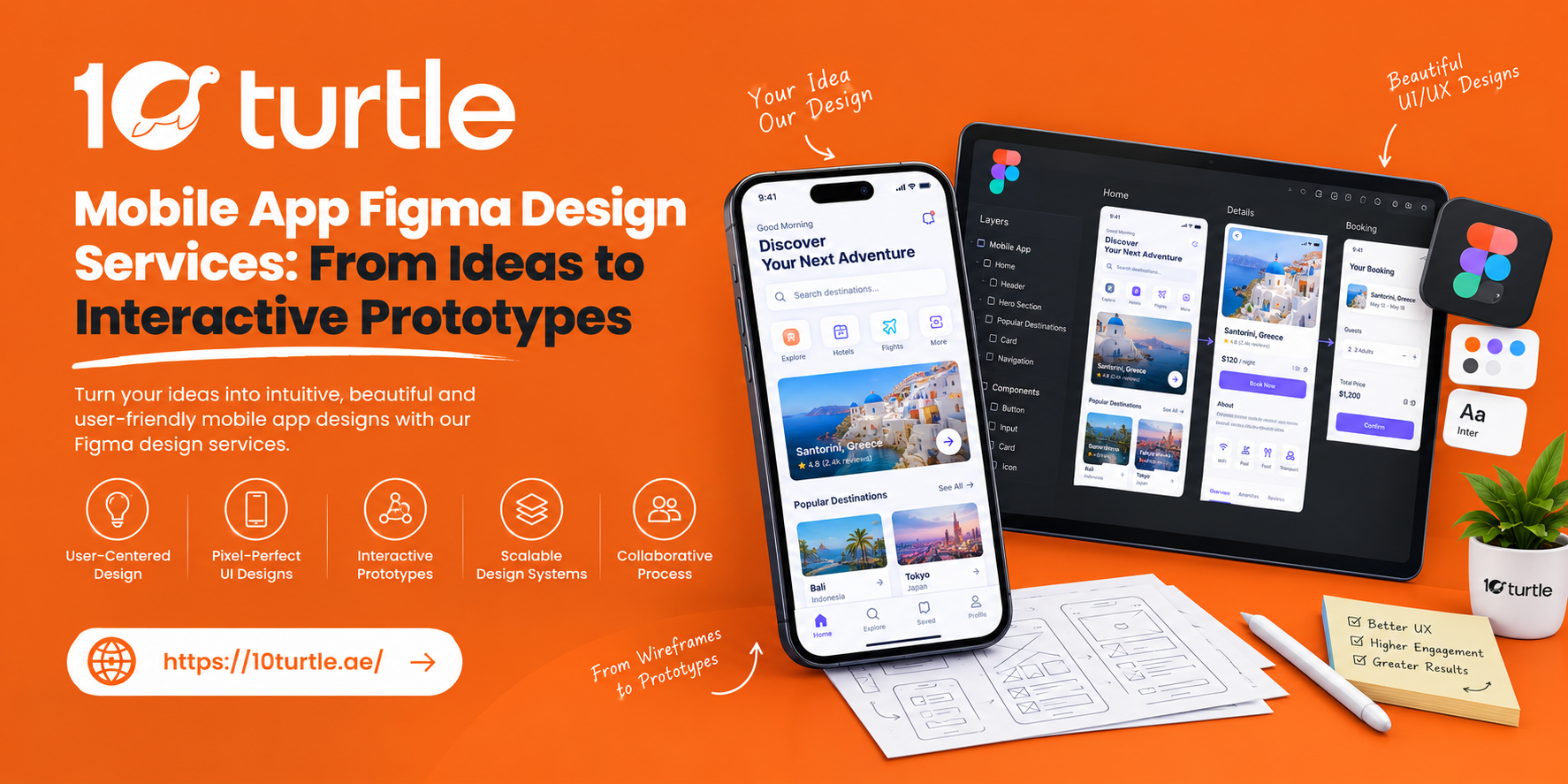
Every successful app starts as a rough idea: a sketch on a notepad, a list of features in a pitch deck, or a problem a founder wants to solve. The distance between that idea and a product people enjoy using is where most projects stumble. Professional mobile app Figma design services close that distance by turning ideas into screens, flows and clickable prototypes long before a single line of code is written.
For businesses in Dubai and across the UAE, where users expect polished, fast and bilingual digital experiences, that early design stage matters more than ever. This guide explains what Figma-based app design involves, what you should receive, and how to choose a design partner.
Why Figma Has Become the Standard for App Design
Figma is a browser-based design platform where designers, developers, product owners and stakeholders work in the same file at the same time. For app projects, that changes how decisions get made.
Real-Time Collaboration Across Teams
Design reviews no longer depend on exported PDFs and long email chains. Stakeholders can comment directly on a screen, and designers can respond within the same file. This is especially useful for Dubai businesses working with teams across time zones.
One File From Wireframe to Handoff
Wireframes, high-fidelity screens, prototypes and specifications live in a single workspace. Nothing gets lost between phases, and version history shows exactly how the design evolved.
Reusable Components and Faster Iteration
Buttons, forms, navigation bars and cards are built once and reused. When a brand colour or layout rule changes, updating the master component updates every screen. That keeps revisions quick and the final product consistent.
What Mobile App Figma Design Services Include
A complete engagement covers more than pretty screens. Here is what a well-scoped project typically contains.
Discovery and User Research
Good design begins with understanding the business goal, the audience and the competitive landscape. In the UAE this often means considering multilingual users, Arabic and English layouts, and local expectations around payments, delivery and customer support.
User Flows and Wireframes
Designers map how a person moves through the app, from onboarding to checkout or booking. Low-fidelity wireframes then test the structure without the distraction of colour and imagery. Problems are far cheaper to fix at this stage than after development.
High-Fidelity UI Design
Once the structure is approved, the visual layer is added: typography, colour, iconography, imagery and spacing. Strong mobile app UI UX design respects platform conventions for both iOS and Android while still expressing the brand.
Interactive Prototypes
A clickable prototype lets people tap through the app as if it were real. Transitions, gestures and screen-to-screen navigation can be simulated in Figma, so founders can test ideas with users, present to investors, or gather internal feedback with confidence. It is often the fastest way to validate a concept before committing to a development budget.
Design System and Component Library
A design system documents colours, type scales, spacing rules and components. It keeps the app consistent as it grows and speeds up future features, since designers and developers share a common language.
Developer Handoff
The final step is preparing files so developers can build accurately. Figma's Dev Mode exposes measurements, tokens, assets and specifications, reducing back-and-forth and interpretation errors.
From Idea to Prototype: A Typical Process
1. Define the goal. Clarify what the app should achieve, for whom, and how success will be measured.
2. Map the journey. Outline the key tasks users need to complete and remove anything that adds friction.
3. Wireframe the structure. Build simple layouts to agree on navigation and content hierarchy.
4. Design the interface. Apply brand, typography and visual style to create polished screens for the main flows.
5. Prototype and test. Link screens into an interactive flow and put it in front of real users. Even five short sessions often reveal usability issues that internal reviews miss.
6. Refine and hand off. Update the design based on feedback, finalise the system and pass clean files to development.
Why Prototyping Before Development Saves Money
Changing a layout in Figma takes minutes. Changing the same layout after it has been coded can take days and affect several parts of the app. Prototyping first lets you:
- Catch confusing navigation before it becomes expensive
- Align founders, marketers and developers around one clear vision
- Give investors and stakeholders something tangible to review
- Estimate development scope more accurately
For startups and growing Dubai businesses, that clarity reduces the risk of building features nobody needs.
Designing for the UAE Audience
Mobile usage in the UAE is high, and expectations are shaped by leading apps in retail, banking, food delivery and government services. A few considerations deserve early attention:
- Bilingual layouts. Right-to-left Arabic support should be planned from the start, not added later. Mirrored navigation, text expansion and icon direction all affect the design.
- Trust and payment flows. Clear checkout steps, familiar payment options and visible security cues help conversion.
- Speed and simplicity. Users abandon apps that feel slow or cluttered. Clean hierarchy and generous tap targets make a real difference on smaller screens.
- Accessibility. Sufficient contrast, readable type sizes and clear labels help everyone, and are increasingly expected.
How to Choose a Figma App Design Partner
Not every provider offers the same depth. Marketplace listings range from a few screens at a low fixed price to full product design engagements, so it helps to know what to compare.
Look at Process, Not Just Portfolio
Attractive screens are a start. Ask how the team handles research, testing and revisions, and whether they explain the reasoning behind design decisions.
Check What Is Actually Delivered
Confirm the number of screens, whether prototypes and design systems are included, and whether files are organised for developers. Clarify if development is part of the scope or design only.
Ask About iOS and Android Experience
Each platform has its own patterns. A partner who understands both will produce interfaces that feel native rather than generic.
Consider Design-to-Development Continuity
When the same agency handles design and development, less is lost in translation. Ask whether the design team works alongside engineers during the build.
Understand Timelines and Revisions
A clear schedule, defined revision rounds and transparent communication prevent scope creep and keep projects on track.
How 10Turtle Supports Your App Design Journey
10Turtle helps businesses move from concept to a tested, developer-ready design. The team works through research, UX flows, UI design and interactive Figma prototypes, then supports handoff so the finished app matches the approved vision. Whether you are validating an MVP or redesigning an existing product, the goal is the same: an app that is clear to use and aligned with your business objectives.
Frequently Asked Questions
What are mobile app Figma design services?
They cover the design of an app's structure, screens and interactions in Figma, typically including wireframes, high-fidelity UI, a clickable prototype, a design system and developer-ready files.
Why use Figma instead of other design tools?
Figma runs in the browser, supports real-time collaboration, and keeps design, prototyping and handoff in one place. That makes reviews faster and reduces mistakes between design and development.
How long does it take to design a mobile app in Figma?
It depends on scope. A focused MVP with a handful of core flows can take a few weeks, while larger apps with many screens, user testing and a full design system take longer. A clear brief shortens the timeline.
How much does mobile app design cost in Dubai?
Pricing varies widely with the number of screens, research depth, platforms and deliverables. Marketplace listings show everything from very low-cost basic screen packs to multi-thousand-dollar engagements for complex products. Request a scoped quote based on your requirements rather than comparing headline prices alone.
Can a Figma prototype be tested with real users?
Yes. Prototypes can be shared by link and tapped through on a phone, which makes early usability testing straightforward before development begins.
Does the design include app development?
Not automatically. Design and development are separate scopes, so confirm this upfront. Many teams offer both to keep the process connected.
Conclusion
Strong apps are designed before they are built. Mobile app Figma design services give you a clear, testable version of your product early, so you can refine the experience, align your team and reduce costly rework. If you are planning an app for the UAE market, starting with research-led design and an interactive prototype is one of the most practical ways to set the project up for success.

 Arabic
 French
 Spanish
 Portuguese
 Deutsch
 Turkish
 Dutch
Dutch
 Italiano
 Russian
 Romaian
 Portuguese (Brazil)
 Greek
Greek
