


 About Urh Social
 Terms of Service
 Privacy Policy
 Contact
How Barcode Scanning Improves Warehouse Put-Away Accuracy
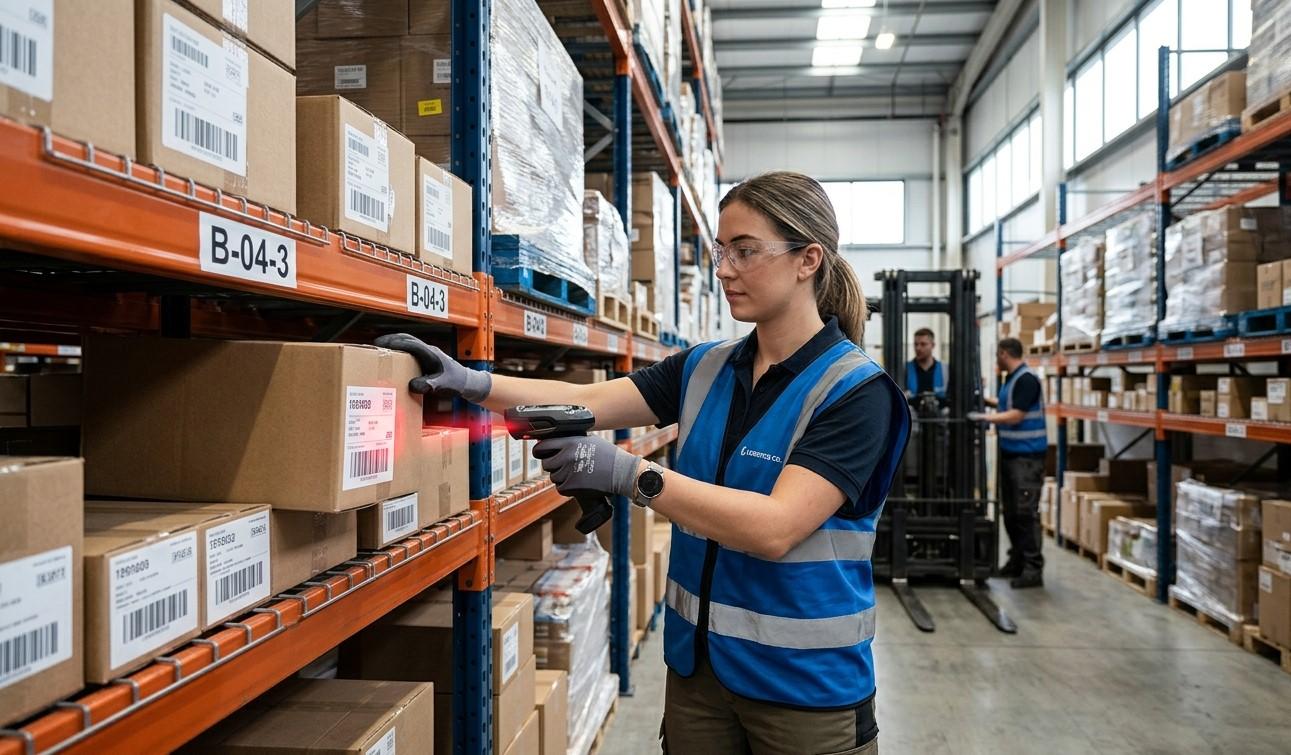
Efficient warehouse put-away is essential for keeping inventory organized, accessible, and accurately recorded. After products arrive at a warehouse, they need to be identified, assigned to the correct storage location, and placed there without creating inventory discrepancies. Even a small put-away mistake can make products difficult to locate, delay order fulfillment, and cause differences between physical and digital stock records. Pointus Solutions helps businesses improve warehouse operations through barcode and Auto-ID technologies. With reliable Shop Barcode solutions and suitable Printing Products, businesses can create more accurate and efficient put-away processes.
Warehouse put-away is more than simply moving products from a receiving area to a storage location. It involves verifying the received items, identifying the appropriate location, recording the movement, and ensuring that inventory information is updated correctly. Barcode scanning can support each of these steps by providing fast and reliable product and location identification.
What Is Warehouse Put-Away?
Warehouse put-away is the process of moving received inventory from a receiving or staging area to its designated storage location.
A typical put-away process includes:
- Receiving the shipment.
- Verifying the products and quantities.
- Identifying an appropriate storage location.
- Moving the inventory to that location.
- Scanning the product and location.
- Updating the inventory system.
- Confirming that put-away is complete.
The objective is to ensure that every product reaches the correct location and that the warehouse management system accurately reflects where the inventory is stored.
Why Put-Away Accuracy Matters
Incorrect put-away can create problems throughout the warehouse.
For example, if a product is physically placed in Bin A-12 but the system records it in Bin B-08, a picker following the system instructions may go to the wrong location. The product may appear to be missing even though it is somewhere inside the warehouse.
Poor put-away accuracy can lead to:
- Longer picking times
- Inventory discrepancies
- Lost or misplaced products
- Delayed order fulfillment
- Unnecessary product searches
- Incorrect stock availability
- Additional labor costs
- Poor warehouse space utilization
Accurate put-away helps create a reliable foundation for subsequent warehouse activities.
How Barcode Scanning Improves Put-Away Accuracy
Barcode scanning adds verification points throughout the put-away process. Employees can scan the product, container, pallet, and destination location rather than relying only on handwritten notes or memory.
A barcode-enabled process can follow this basic workflow:
Receive → Identify → Assign Location → Scan Product → Scan Location → Confirm → Update Inventory
This creates a clear connection between the physical inventory and its digital location.
1. Accurate Product Identification
The first requirement for accurate put-away is knowing exactly what has been received.
Products may have similar names, sizes, colors, packaging, or model numbers. Visual identification alone can sometimes result in mistakes.
By scanning the product barcode, employees can confirm the exact SKU or product identifier.
For example, two products may look almost identical but have different product codes. A barcode scanner can distinguish between them quickly and reduce the risk of placing the wrong item into a storage location.
2. Accurate Location Identification
Warehouse locations can also be assigned unique barcodes.
Location labels may identify:
- Warehouse zones
- Aisles
- Racks
- Shelves
- Bins
- Pallet positions
- Staging areas
When an employee arrives at a storage location, they can scan its barcode before placing the inventory there.
This provides an additional verification step and helps ensure that the product is stored where the system expects it to be.
3. Preventing Wrong-Location Put-Away
One of the most common put-away problems is placing inventory in the wrong location.
Without scanning, an employee may accidentally place a carton on a neighboring rack or select the wrong bin.
With barcode scanning, the warehouse management system can compare the scanned location with the expected destination.
If the location is incorrect, the system can alert the employee before the transaction is completed.
This prevents errors at the source instead of discovering them later during picking.
4. Reducing Manual Data Entry
Manual data entry can introduce errors into warehouse records.
Employees may accidentally type:
- Wrong SKU numbers
- Incorrect quantities
- Incorrect location codes
- Incorrect product descriptions
Barcode scanning significantly reduces the need for repetitive typing.
The employee simply scans the barcode, and the system captures the relevant information automatically.
This can improve both speed and data consistency.
5. Improving Inventory Visibility
Accurate put-away records provide businesses with better visibility into inventory locations.
Once the put-away transaction is completed, the system can show that the product is available at a specific warehouse location.
Managers can then determine:
- What inventory has been received
- What has been put away
- Where products are stored
- Which products are still in staging
- Which locations contain specific SKUs
This information is especially important in large warehouses where manually locating products can take considerable time.
Barcode-Based Put-Away Process
A complete barcode-enabled put-away workflow can be divided into several stages.
Step 1: Receive the Shipment
Products arrive at the warehouse and are checked against the purchase order, shipment record, or receiving document.
Step 2: Scan the Product
The employee scans the product, carton, pallet, or container barcode to identify the inventory.
Step 3: Verify Quantity
The quantity received is confirmed against the expected quantity.
Step 4: Assign a Storage Location
The WMS or warehouse process determines an appropriate storage location based on available space, product characteristics, or warehouse rules.
Step 5: Travel to the Location
The employee moves the inventory to the assigned location.
Step 6: Scan the Location
The employee scans the barcode attached to the rack, shelf, bin, or pallet position.
Step 7: Confirm Put-Away
The system verifies that the scanned product and location match the expected transaction.
Step 8: Update Inventory
The system records the new inventory location and makes the stock available for future warehouse activities.
This workflow helps create a consistent process from receiving through storage.
The Role of Barcode Labels in Put-Away Accuracy
Barcode scanning depends on clear and readable labels.
Businesses may need labels for:
- Products
- Cartons
- Pallets
- Bins
- Racks
- Shelves
- Warehouse zones
Labels should be printed at an appropriate size and resolution for the scanning equipment being used.
They should also be durable enough for the warehouse environment.
For example, warehouses exposed to moisture, dust, temperature changes, or frequent handling may require more durable label materials.
Choosing the Right Barcode Printer
Barcode printers play an important role in producing reliable warehouse identification labels.
When selecting a printer, businesses should consider:
Print Volume
High-volume warehouses may require printers designed for continuous or frequent printing.
Print Resolution
The printer should produce barcodes that remain clear and easy to scan.
Label Size
The printer should support the label dimensions required for products and warehouse locations.
Printing Method
Businesses can choose between direct thermal and thermal transfer printing depending on the application and durability requirements.
Connectivity
USB, Ethernet, Wi-Fi, or other connectivity options may be required depending on the warehouse environment.
Barcode Scanners and Mobile Computers for Put-Away
Different scanning devices can support different warehouse workflows.
Handheld Scanners
These are useful for standard receiving and put-away activities.
Wireless Scanners
Wireless devices provide freedom of movement around warehouse aisles.
Mobile Computers
Mobile computers combine barcode scanning with a screen that allows employees to view put-away instructions, verify inventory, and confirm transactions.
For larger warehouses, mobile computers can be especially useful because employees can complete the entire process while remaining on the warehouse floor.
Integrating Barcode Scanning With WMS
Barcode scanning becomes more effective when integrated with a warehouse management system.
A WMS can use barcode information to manage:
- Receiving
- Put-away
- Inventory locations
- Picking
- Stock transfers
- Cycle counting
- Replenishment
- Shipping
For example:
Product Scan → WMS Identifies SKU → Location Assigned → Location Scan → Put-Away Confirmed → Inventory Updated
This creates a connected workflow and reduces the need for separate manual records.
Benefits of Accurate Barcode-Based Put-Away
Faster Product Retrieval
When inventory is stored in the correct location, warehouse employees can find products more quickly.
Improved Inventory Accuracy
The digital system reflects the actual physical location of stock.
Reduced Search Time
Employees spend less time searching for products that have been incorrectly stored.
Better Space Utilization
Systematic location management can help businesses make better use of available warehouse space.
Improved Picking Efficiency
Accurate put-away provides reliable location information for subsequent picking operations.
Reduced Operational Costs
Preventing errors can reduce rework, searching, corrections, and fulfillment delays.
Best Practices for Barcode-Based Put-Away
Businesses can improve their put-away processes by following several best practices.
Standardize Location Codes
Create a logical location numbering system that employees can understand easily.
Label Locations Clearly
Location barcodes should be visible, properly positioned, and easy to scan.
Use Consistent Product Identification
Every SKU should have a unique and reliable barcode.
Verify Every Put-Away
Do not rely solely on visual confirmation. Use barcode scanning as a verification step.
Maintain Scanning Equipment
Keep scanner windows clean and inspect equipment regularly.
Maintain Barcode Printers
Regular printer maintenance helps ensure consistent label quality.
Train Employees
Employees should understand how to scan products, verify locations, handle incorrect scans, and report exceptions.
How Barcode Technology Supports Warehouse Growth
As warehouses grow, manual put-away processes become increasingly difficult to manage.
A barcode system can scale with the operation by adding:
- More scanners
- Mobile computers
- Additional warehouse locations
- More barcode printers
- WMS integrations
- Advanced inventory workflows
This allows businesses to maintain consistent identification and tracking as product volumes and warehouse complexity increase.
How to Choose a Barcode Put-Away Solution
Before implementing a barcode system, businesses should evaluate their operational requirements.
Important considerations include:
- Number of SKUs
- Warehouse size
- Number of storage locations
- Daily receiving volume
- Product types
- Label requirements
- Scanning distance
- Environmental conditions
- Existing WMS or ERP
- Future expansion plans
The objective should be to create a system that improves accuracy without unnecessarily complicating warehouse workflows.
Conclusion
Accurate warehouse put-away is essential for maintaining reliable inventory records and ensuring that products can be located quickly when needed. Barcode scanning improves put-away accuracy by allowing employees to verify products, quantities, and storage locations at each important stage of the process.
By combining barcode scanners, mobile computers, high-quality labels, barcode printers, and warehouse management software, businesses can create a more controlled and efficient put-away workflow. Pointus Solutions can help businesses implement suitable Auto-ID solutions, while Shop Barcode options and dependable Printing Products can support the scanning and labeling requirements of modern warehouses.
As inventory volumes increase, barcode-based put-away provides a practical way to reduce location errors, improve inventory visibility, support faster picking, and create a more organized warehouse operation.
Pointus Solutions can support businesses looking to improve inventory identification and tracking through practical Auto-ID technologies. From Shop Barcode solutions to dependable Printing Products, the right combination of hardware, labels, software, and processes can help businesses achieve greater inventory accuracy and visibility.
As warehouse operations continue to grow in size and complexity, barcode-based inventory reconciliation provides a practical foundation for maintaining reliable stock records, reducing discrepancies, and improving overall inventory management.

 English
 Arabic
 French
 Spanish
 Portuguese
 Deutsch
 Turkish
 Dutch
Dutch
 Italiano
 Russian
 Portuguese (Brazil)
 Greek
Greek
