


 About Urh Social
 Terms of Service
 Privacy Policy
 Contact
GTA 5 Online Armor Tips from U4GM
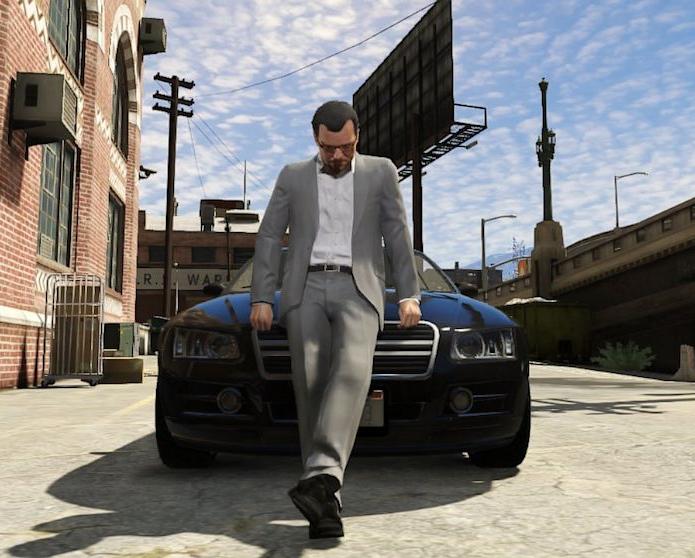
Los Santos rarely gives you time to prepare. A mission can go quiet, then turn into a full firefight within seconds. Body armor gives you a useful buffer when health starts dropping, especially during heists, contact jobs, and crowded freemode sessions. If you are building a reliable loadout, browsing GTA 5 Accounts can also help you compare starting options, but the first thing to sort out is how to use the armor already available to your character.
Buy the right protection first
Visit Ammu-Nation, the Gun Van, or an Agency armory before heading into a difficult job. The game offers five armor levels: Super Light, Light, Standard, Heavy, and Super Heavy. Each level gives a different amount of protection. You can keep up to ten units of each type, so it is worth restocking before a long session rather than waiting until a mission begins. Super Heavy Armor is the safest pick for heavy gunfire, while lighter options work well when you want to save money or carry a more modest supply.
Open the Interaction Menu.
Choose Health and Ammo.
Select Body Armor.
Pick the stored armor level you want to wear.
Reach the armor menu quickly
On PlayStation, hold the touchpad. On Xbox, hold the View button. PC players can press M. The menu appears on the left side of the screen, so you do not need to visit a store every time you need protection. Select Health and Ammo, then open Body Armor. Choose a tier from the list and confirm it. The armor bar should appear above the minimap straight away.
| Armor level | Best use | Practical note |
|---|---|---|
| Super Light | Short trips | Light protection |
| Light | Routine jobs | Useful for quick errands |
| Standard | General missions | A balanced choice |
| Heavy | Serious firefights | Good for tougher tasks |
| Super Heavy | Heists and assaults | Maximum protection |
Check the display and automatic setting
There are two settings that often confuse new players. Equip Armor applies the protection, while the appearance option controls whether the vest is visible on your character. Hiding the vest does not remove its defensive value. You can also turn on Auto Equip Armor. When your current protection runs out, the game uses another stored unit automatically. That only works while you still have armor in the selected category, so check your quantities before launching a mission.
Keep snacks beside your armor
The same Health and Ammo section contains snacks. Use them to refill the green health bar between bursts of enemy fire, then apply another vest when the blue bar is low. This two-part routine is easy to miss when you are rushing, but it saves plenty of failed attempts. Open the menu from cover, choose the item you need, and get back to the objective. With a few spare vests and snacks ready, GTA 5 Accounts for sale may be worth browsing for players who want a fresh setup, while careful menu habits will still make the biggest difference during play.

 English
 Arabic
 French
 Spanish
 Portuguese
 Deutsch
 Turkish
 Dutch
Dutch
 Italiano
 Russian
 Portuguese (Brazil)
 Greek
Greek
