


 About Urh Social
 Terms of Service
 Privacy Policy
 Contact
Improve Your Prints with These Creality Print Settings Tips
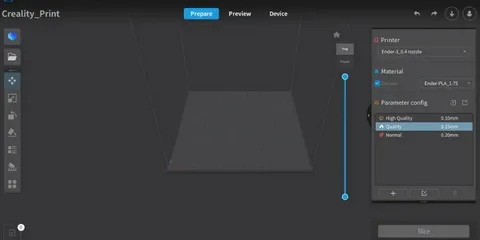
3D printing success often comes down to small adjustments that make a big difference in quality, strength, and surface finish. Whether you are a beginner or an experienced maker, understanding how to fine-tune your creality print settings can dramatically improve your results. From smoother layers to stronger adhesion, the right setup helps you avoid common printing issues like warping, stringing, and layer separation. In this guide, we’ll walk through essential tuning tips that can help you get consistently better prints from your Creality printer.
Optimal Layer Height Settings for Detail and Speed
Layer height is one of the most important creality print settings because it directly affects both print quality and printing time. A smaller layer height, such as 0.12mm or 0.16mm, produces smoother and more detailed surfaces, making it ideal for miniatures or intricate models. On the other hand, a larger layer height like 0.2mm or 0.28mm prints faster but with slightly visible layer lines.
Choosing the right balance depends on your project needs. If you are printing functional parts, a medium layer height often provides a good compromise between strength and speed. However, for decorative items, lowering the layer height will significantly enhance visual quality. Adjusting this setting properly ensures you get the most out of your Creality machine without wasting time or filament.
Temperature Tuning for Better Adhesion and Strength
Temperature control is another critical part of creality print settings that affects how well filament melts and bonds between layers. If the nozzle temperature is too low, layers may not adhere properly, leading to weak prints. If it is too high, you may experience oozing, stringing, or loss of detail.
For PLA, a typical range is 200°C to 210°C, while PETG often requires 220°C to 250°C. Bed temperature also plays a role in preventing warping and improving first-layer adhesion. Experimenting with small adjustments can help you find the sweet spot for your specific filament brand. Consistent temperature tuning ensures stronger, more reliable prints with fewer failures.
Print Speed Adjustments for Quality Balance
Print speed is one of the most overlooked creality print settings, yet it has a huge impact on the final output. Printing too fast can cause vibrations, layer misalignment, and poor surface finish. Slowing down allows the printer to place each layer more precisely, improving detail and overall quality.
However, slower is not always better. For large, simple models, increasing speed can save significant time without sacrificing much quality. A balanced approach is usually best—slower speeds for outer walls and faster speeds for infill. Fine-tuning speed settings helps you achieve efficient printing while maintaining solid structural results.
Retraction and Stringing Control Techniques
Stringing is a common issue in 3D printing, and adjusting retraction settings in creality print settings can greatly reduce it. Retraction works by pulling filament back into the nozzle when the printer moves between sections, preventing unwanted drips or threads.
If you notice excessive stringing, increasing retraction distance or speed may help. For Bowden-style Creality printers, higher retraction settings are often required compared to direct drive systems. You can also reduce nozzle temperature slightly to minimize oozing. Proper retraction tuning ensures cleaner prints with fewer post-processing requirements.
Bed Leveling and Adhesion Optimization
Bed leveling is one of the most important foundations of successful printing. Even the best creality print settings cannot compensate for a poorly leveled bed. A correctly leveled surface ensures the first layer sticks evenly, which is critical for the stability of the entire print.
Manual leveling or using auto-bed leveling features helps achieve consistent nozzle distance across the print surface. In addition, using adhesion aids like glue sticks, PEI sheets, or painter’s tape can further improve first-layer grip. Taking time to perfect bed leveling reduces print failures and improves overall reliability.
Conclusion
Mastering creality print settings is all about understanding how small adjustments impact your final results. From layer height and temperature to speed, retraction, and bed leveling, each setting plays a key role in print quality and consistency. By experimenting carefully and making incremental changes, you can dramatically improve both the appearance and strength of your 3D prints. With practice, these tuning techniques will help you get the most out of your Creality printer and achieve professional-level results at home.

 English
 Arabic
 French
 Spanish
 Portuguese
 Deutsch
 Dutch
Dutch
 Italiano
 Russian
 Romaian
 Portuguese (Brazil)
 Greek
Greek
